The Adversary Risk Intelligence Platform
One platform across cyber threat and disinformation — built to Monitor, Analyze, Track and Hunt the adversaries that matter to you.
The Intelligence Loop
One loop, run continuously across two fronts — so the same operating rhythm covers your attack surface and your information environment.
01 Monitor · Cyber
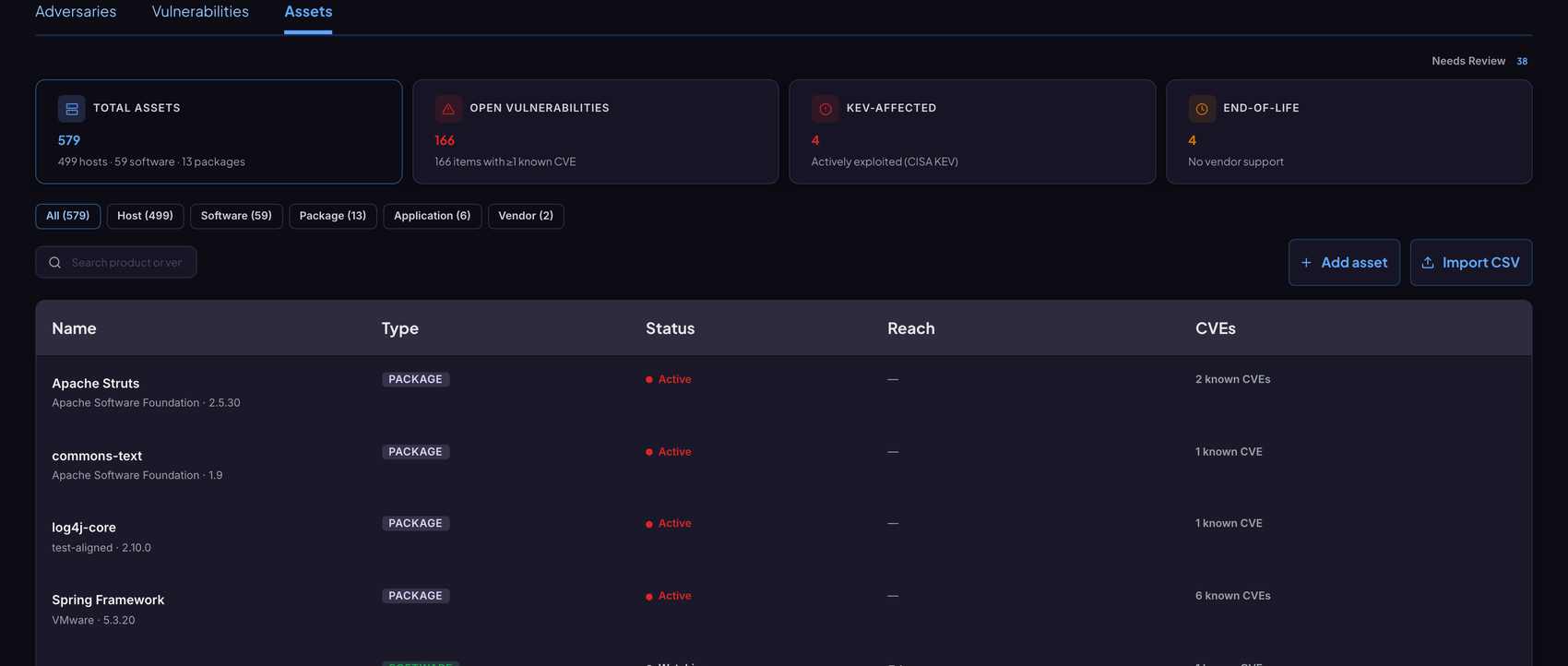
Declare the software, packages and hosts you actually run. The platform correlates every new CVE, exploit and advisory back to your inventory — automatically, continuously.
app.protoslabs.io / arip / cyber / entities / assets
01 Monitor · Cyber
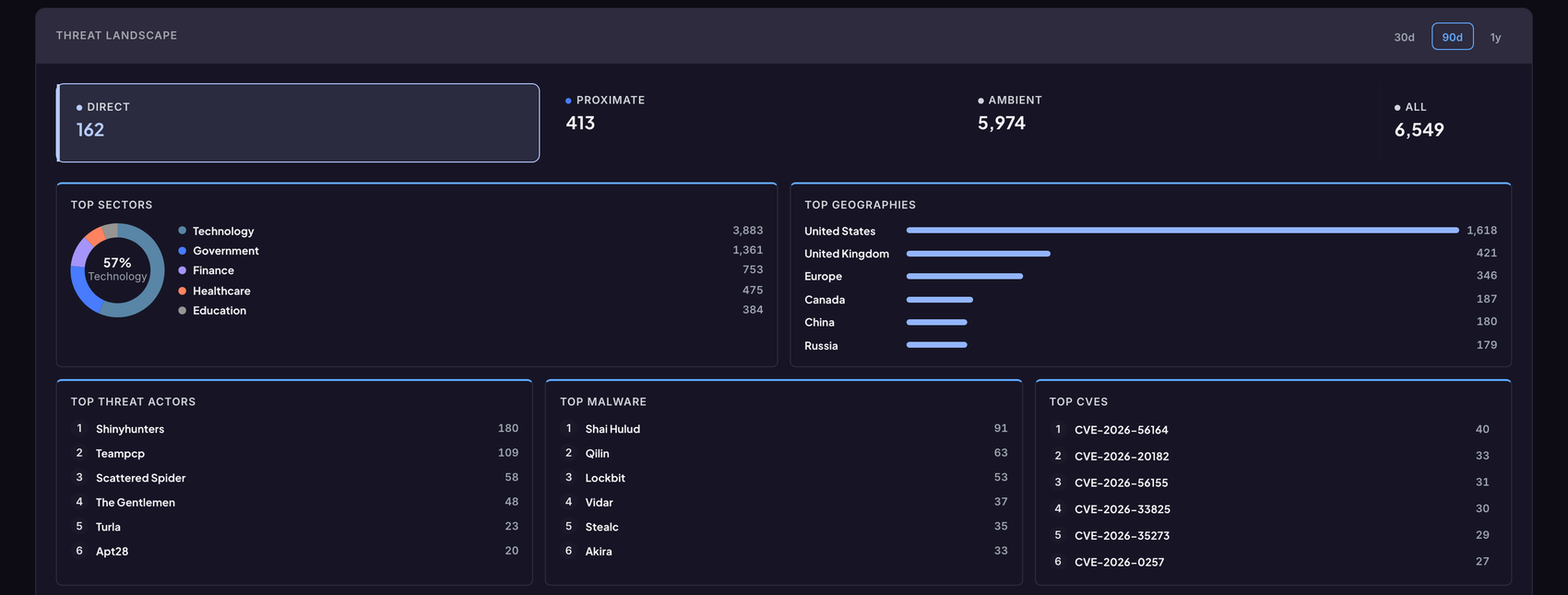
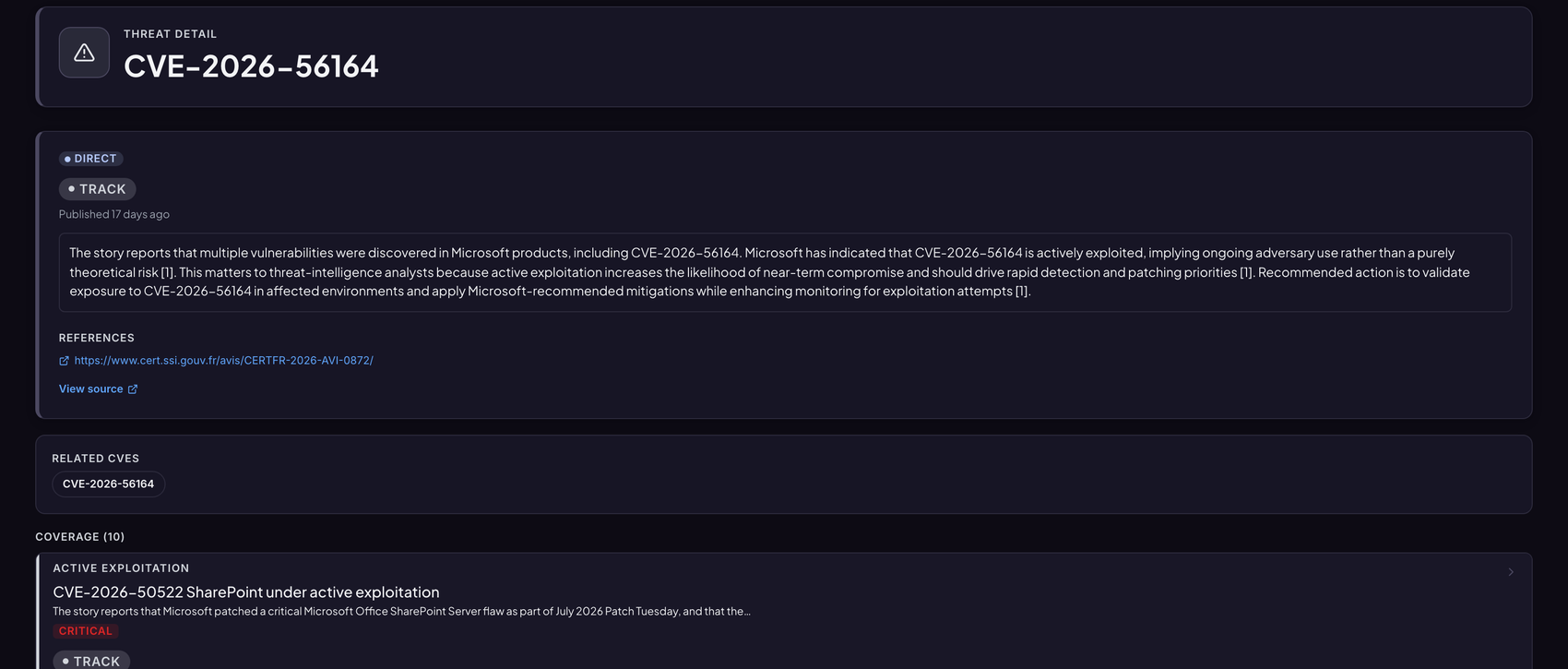
Every story is tiered — Direct, Proximate, Ambient — so your team sees what reaches your stack, your sector and your region first, and the rest as context.
app.protoslabs.io / arip / cyber / monitor
01 Monitor · Disinformation
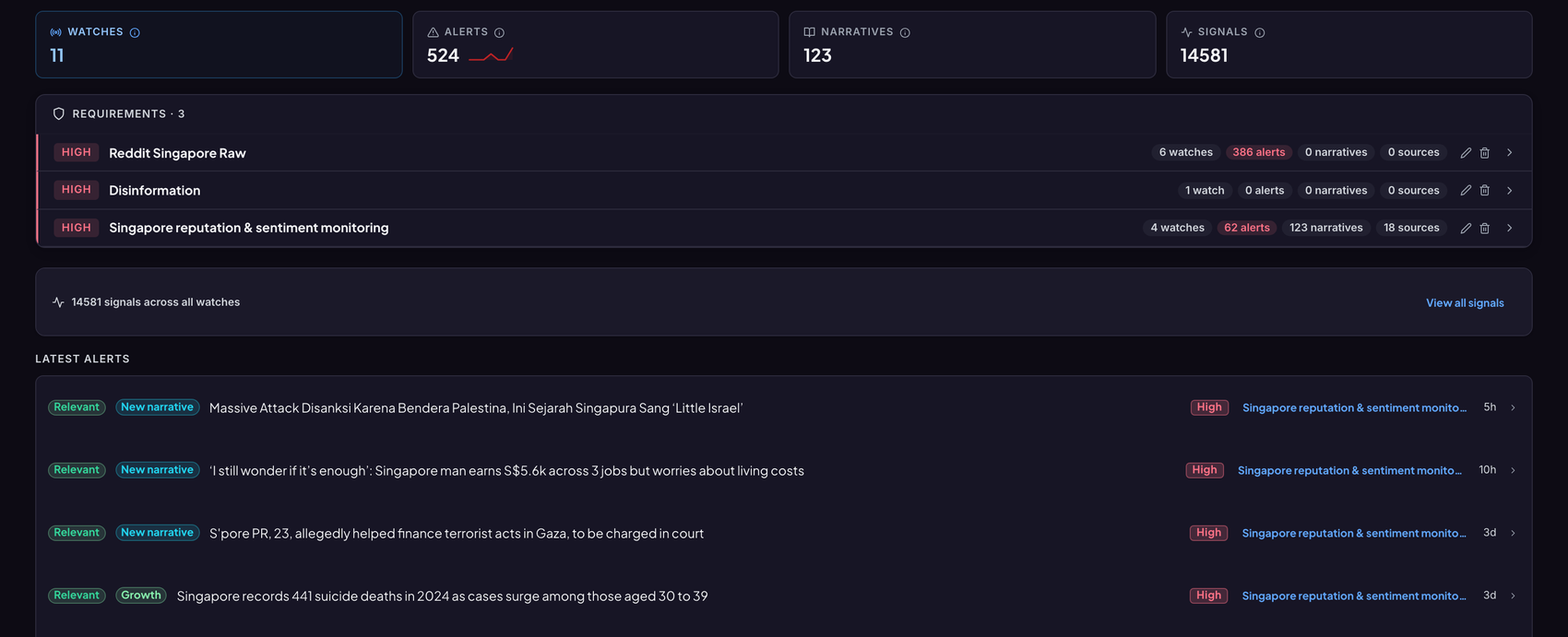
Watch narratives, accounts and communities the same way you watch assets. Reddit, X, TikTok, news — collected, deduplicated into stories, and scored for reach and coordination.
app.protoslabs.io / arip / social / monitor
02 Analyze
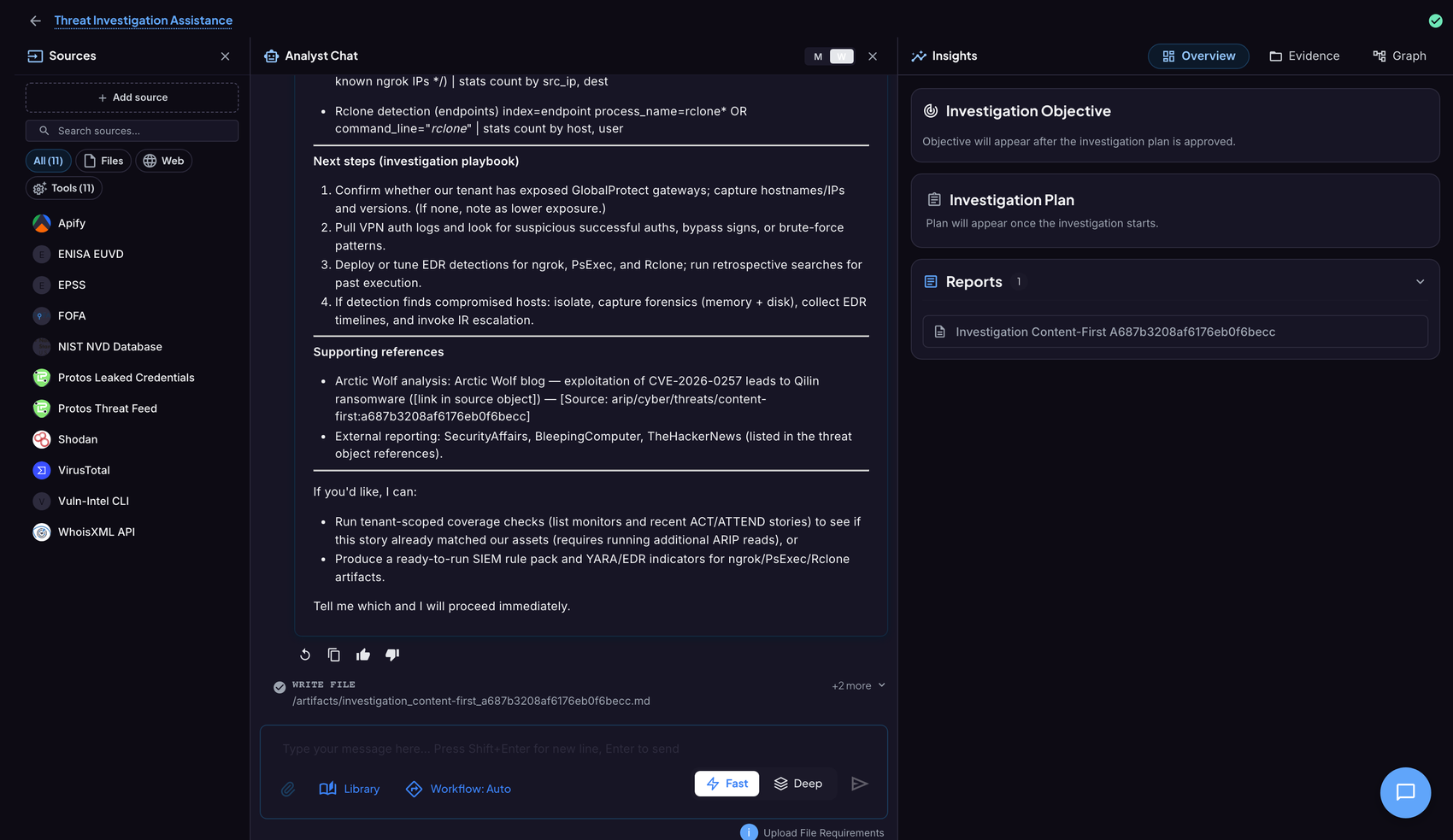
Ask in plain language. The agent writes a plan, pulls from its sources — Shodan, VirusTotal, NVD, EPSS, your threat feed — and shows its work: an investigation playbook, cited references, and a written product.
app.protoslabs.io / arip / analyze / investigation
02 Analyze · Outputs
Enriched IOCs, MITRE mapping, a live knowledge graph, and a written intelligence product — every claim traceable to its source, ready to hand to a decision-maker.
app.protoslabs.io / arip / cyber / threats
02 The Agentic Engine
The same agentic core runs the whole loop — it decides what’s Direct in Monitor, investigates in Analyze, keeps the adversary profiles current in Track, and writes the hunts in Hunt. One operator, four jobs.
Triages 20,000 signals down to what touches your stack.
Plans and runs the investigation across every connected tool.
Accretes adversary profiles from the noise, continuously.
Generates and ranks the hypotheses worth chasing next.
03 Track · Cyber
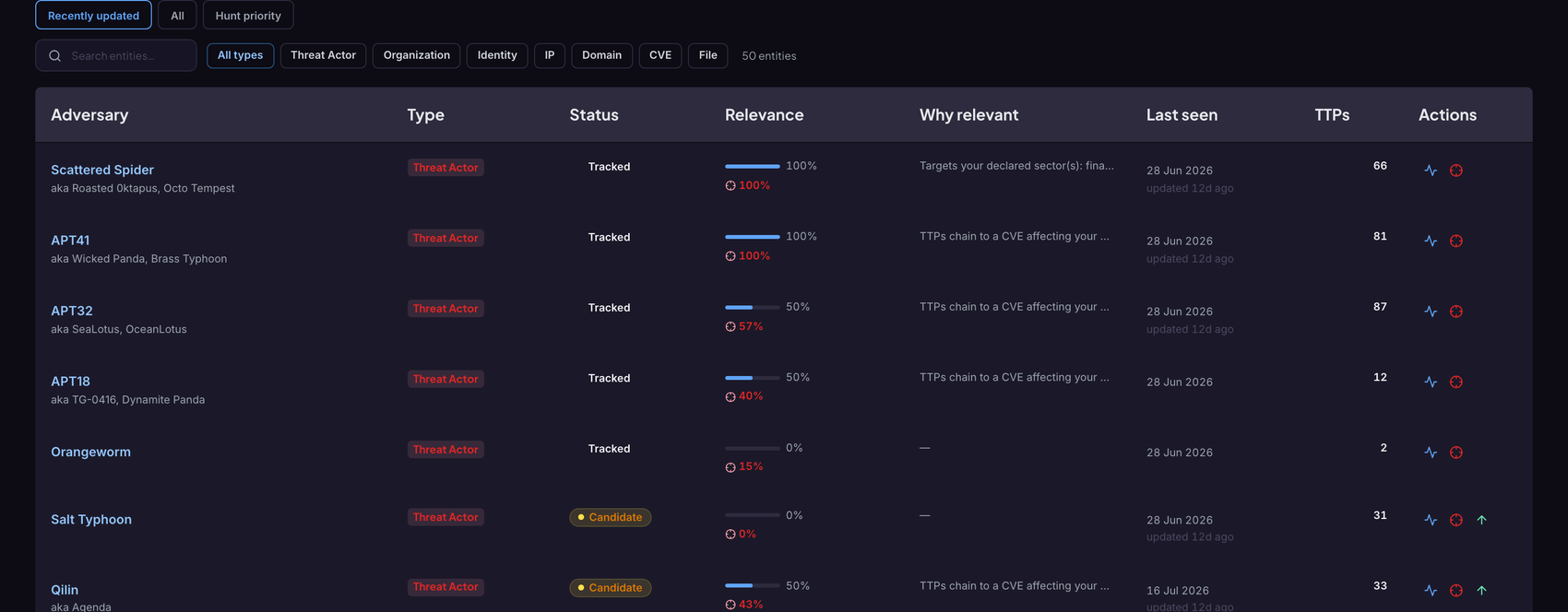
Adversary profiles accrete from the noise — aliases, targeted sectors, recency, and whether they reach your stack. The catalog you’d otherwise build by hand, kept current and ranked for you.
app.protoslabs.io / arip / cyber / entities / adversaries
03 Track · Disinformation
Profiles that persist across platforms and campaigns — who’s amplifying, who’s coordinating, who’s evolving. The same track discipline as cyber, pointed at the information environment.
X · TikTok
network 38 accounts · synchronized posting · 3 campaigns evolving
04 Hunt
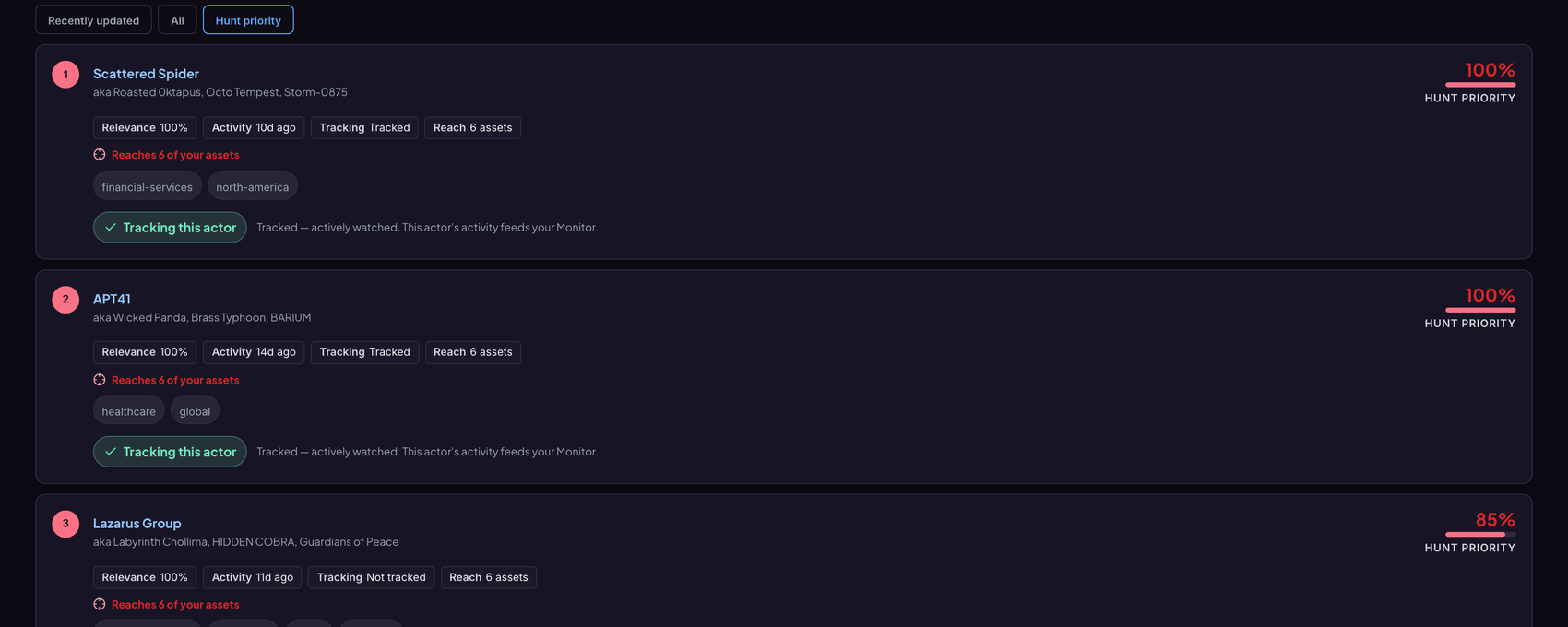
Forward-looking and hypothesis-driven. Rank the actors by hunt priority — relevance, recency and reach into your estate — and go looking before they land.
app.protoslabs.io / arip / cyber / entities / adversaries?sort=hunt
The Roadmap · Anticipate
The loop is built to run forward. Today it tells you what’s happening; where we’re taking it is telling you what’s about to.
One Intelligence Fabric
Monitor what matters, analyze with an agentic workspace, track the actors, and hunt before it lands — so you’re never the last to know.
Make sense of the upstream signals where adversaries hide — before the breach, not after.
.png)

